- Brightspot has a real, configurable GraphQL layer built around a single endpoint type, the GraphQL Content API (GCA).
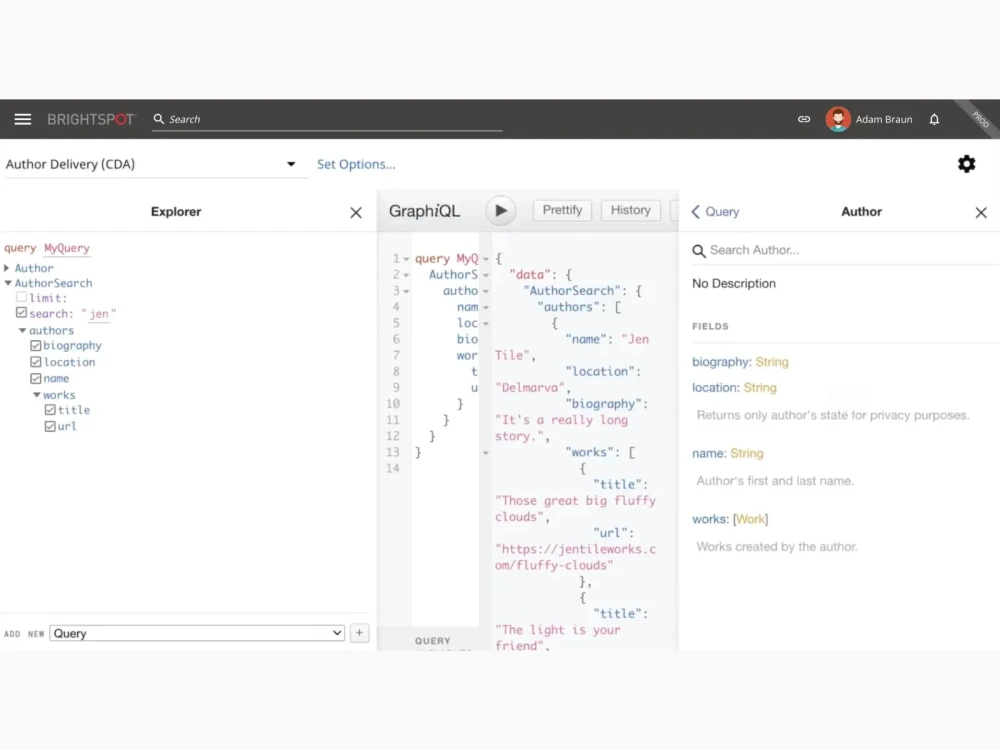
- Brightspot also ships a built-in GraphQL explorer for testing queries against your own schema
- Both GraphQL and REST are first-class options in Brightspot.
Does Brightspot have a GraphQL API? Yes: two endpoint types, a live explorer, and a schema generated straight from your content model rather than maintained as a separate spec.
That last part matters more than it sounds. A reference between two content types shows up as a typed relationship, not a flat ID, because the schema comes from the same place as everything else on the platform.
What Brightspot’s GraphQL API exposes
Brightspot’s GraphQL layer is built around one endpoint type: the GraphQL Content API (GCA), which exposes your content types with zero to minimal code. It can run content through Brightspot’s view system as a transformation layer before it reaches the client, useful when raw database fields need reshaping or stripping of internal-only data. Or it can expose content and full CRUD operations more directly, closer to what you’d get writing Java against Brightspot. Filtering, sorting, pagination, reference resolution, image transformations, and preview modes all come built in, regardless of which way you’re using it.
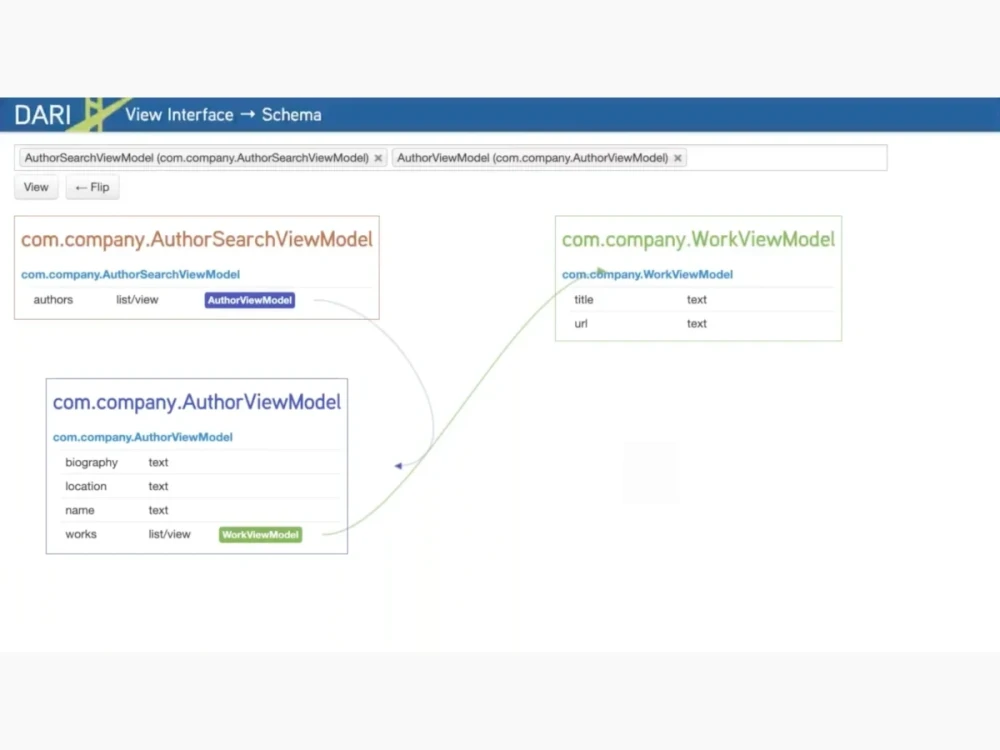
The GCA generates its schema from the same source as everything else in Brightspot: your content types, the fields on them, and the relationships between them (a reference from one content type to another shows up as a queryable, typed relationship, not a flat ID). Filters and queries come from that schema. Nothing here is a separate spec someone maintains by hand.
Setting up a queryable endpoint
Here’s the sequence, using the GCA’s configuration options:
1. Create a content type. Editorially, through Admin > Content Types. Or in code:
import com.psddev.cms.db.Content;

public class Post extends Content {

private String message;

}
2. Publish one or two assets of that type. You need something in the database before you can query it.
3. Create a GraphQL Content API endpoint. Admin > APIs > Endpoints > GraphQL Content API. Name it, and under Read/Write Content Types, restrict it to Post.
4. Toggle on Allow Database Queries and save. The endpoint goes live at its generated path, something like /graphql/content/hello-world.
The same endpoint can be defined in code instead of clicked together, by extending GCAEndpoint:
import java.util.Set;

import com.psddev.dari.db.Recordable;
import com.psddev.dari.db.Singleton;
import com.psddev.graphql.gca.GCAEndpoint;
import com.psddev.graphql.gca.GCASchemaSettings;

@Recordable.DisplayName("Hello World")
public class HelloWorld extends GCAEndpoint implements Singleton {

    @Override
    public Set<String> getPaths() {
        return Set.of("/graphql/content/hello-world");
    }

    @Override
    protected GCASchemaSettings getSchemaSettings() {
        return GCASchemaSettings.newBuilder()
            .mutableEntryClass(Post.class)
            .build();
    }
}
Same result either way. The endpoint, the schema it exposes and the content type it reads from are all defined in the same place a Brightspot developer already works.
Running your first query, step by step
Once the endpoint’s live, open the GraphQL Explorer and select your endpoint from the dropdown. Paste this query, run against the Post type from the setup above:
query MyQuery {
  Query {
    Records(from: {type: Post}) {
      items {
        ... on Post {
          __typename
          _id
          message
        }
      }
    }
  }
}
Execute it, and you get back the following:
{
  "data": {
    "Query": {
      "Records": {
        "items": [
          { "__typename": "Post", "_id": "00000191-be89-d8ae-abf1-fe9b8e9b0000", "message": "This is my first message" },
          { "__typename": "Post", "_id": "00000191-be8a-d8ae-abf1-fe9b5c090000", "message": "This is my second message" }
        ]
      }
    }
  }
}
Records(from: {type: Post}) tells Brightspot which content type to pull from. Change Post to any type exposed on that endpoint, and the rest of the query structure stays the same.
The ... on Post block is a GraphQL fragment. Brightspot’s schema is polymorphic, a query can return more than one shape of content, so the fragment tells the query which type’s fields to expect back.
_id and __typename come back automatically on every record. message comes back because it’s a field on Post. Add a field to that class, and it shows up here too, no separate step required. Same mechanism as how Brightspot generates a content type’s editorial UI and API together: whatever’s on the class is what the query can ask for.
Constructing a query for a custom content type
The pattern above generalizes. Say you’re working with an Article type instead, with headline, body, and author fields. The query looks like this:
query FetchArticles {
  Query {
    Records(from: {type: Article}) {
      items {
        ... on Article {
          _id
          headline
          body
        }
      }
    }
  }
}
Swap the type in from: {type: X}, swap the fragment target to match, then list the fields you want returned. A field that references another content type, like author on Article, needs its own nested selection rather than a flat value.
Authentication and endpoint setup
Reaching the Explorer itself requires a Brightspot user role with developer permissions. It’s a developer tool where you select your endpoint from a dropdown. This is a tool for people who already have access to your Brightspot instance. If you want to test it out for yourself, see our public instance.
Authenticating an external application’s requests works differently. Create an API Client (Admin > APIs > New API Client), scope which sites and endpoints it can reach, then generate a client ID and secret under that client. External requests include those credentials via X-Client-ID and X-Client-Secret headers. Without valid credentials, the request fails.
For anything beyond client and site scoping, Brightspot supports custom permission logic too, by extending ApiPermission and implementing its authorization check.
How GraphQL relates to REST in Brightspot
Brightspot supports both GraphQL and REST as full, maintained options: a separate REST API covers standard CRUD-style integrations, authenticated independently of the GraphQL endpoints. The practical difference is in what each is convenient for. REST is a good fit for ingestion pipelines, bulk migrations, and simple external integrations where you’re working with one asset at a time. GraphQL is the better fit when a client needs to shape exactly which fields and relationships come back in a single round trip, especially for front-end consumption through the GCA.

Yes. Brightspot’s GraphQL plugin is built around the GraphQL Content API (GCA), which exposes your content types for both front-end consumption and internal tooling from a single, configurable endpoint.
External applications authenticate with an API Client’s Client ID and Client Secret, sent via the X-Client-ID and X-Client-Secret headers. Accessing the GraphQL Explorer itself requires a Brightspot user role with developer permissions.
Yes. Any content type exposed on an endpoint’s Read/Write Content Types setting can be queried, using the same Records(from: {type: X}) pattern regardless of which type you’re working with.
Yes. A separate REST API covers standard CRUD-style integrations, authenticated independently of the GraphQL endpoints.
It’s a developer tool where you select your endpoint from a dropdown. It requires a user role with developer permissions and isn’t reachable as a public URL.
For the full reference, see Brightspot’s GraphQL Content API docs. If you want to see a GCA endpoint configured live against a real schema, request a technical demo.