

- A good visual editor is one part of editor experience. Just as important: whether editors can publish without filing a developer ticket.
- Good governance speeds editorial teams up by building rules into the platform instead of relying on manual approval checkpoints.
- Workflow engines need to match a team’s actual publishing cadence, not a vendor’s default configuration.
- Headless-first architecture optimizes for developer flexibility first, which pushes editorial tools to the back of the line.
- Evaluating a CMS on feature comparisons alone misses the operational gaps that hurt editorial teams in production.
- Brightspot builds governance, workflow and autonomy into its core architecture rather than adding them on top.
For years, “best for editors” meant one thing in CMS marketing copy: a clean interface and a visual page builder. If the editor could drag components around a canvas without filing a support ticket, the platform passed the test.
That framing made sense when content teams were small and publishing cadences were slow.
At enterprise scale, it breaks down completely.
When a global brand is managing dozens of sites, hundreds of contributors and publishing across multiple channels at volume, a good visual editor is only the starting point. What determines whether editors can actually do their jobs is something further upstream: whether the platform’s governance, workflows and permissions are designed around how editorial teams work.
Most CMS vendors get this backwards. They architect for developer flexibility first. The editorial layer comes second, retrofitted onto a system that was never built with the editor’s operational reality in mind. The result is a platform that scores well in demos and slows teams down in production.
The visual editor sets the floor. Governance raises the ceiling
Ask a content director at a mid-market media company what slows their team down. The interface is rarely the top answer. They’ll say: waiting three days for a developer to adjust a page template. Routing a minor layout change through IT because permissions don’t allow editors to touch certain components. Running localization workflows through spreadsheets because the CMS has no native translation support. Rebuilding the same content structure manually across 40 regional sites because there is no shared component library.
These are not UX problems. They are governance and workflow problems. And they compound at scale.
A platform with a beautiful visual editor but rigid permission structures, inflexible workflows or no multisite governance will grind editorial teams to a halt long before the interface becomes a complaint. The interface is what editors see. The architecture is what determines whether they can move.
This is why the standard comparison — Storyblok vs. Contentful vs. Brightspot, scored on visual editing features — only tells half the story. Visual editing matters. So do the governance, workflow and permission layers underneath it.

The three things that actually determine editor experience at enterprise scale
True editorial autonomy at enterprise scale is determined by governance design, workflow architecture and permission granularity. Not by drag-and-drop capability.
Governance that creates speed, not drag
Governance has a reputation problem. Most teams associate it with approval bottlenecks, locked templates and IT-controlled processes that exist to prevent risk rather than enable publishing. That reputation is earned — but it’s a symptom of poorly designed governance, not governance itself.

Well-designed governance does the opposite. It lets editors move faster because the rules are built into the system rather than enforced through human checkpoints. Template controls mean editors cannot accidentally break brand standards — so they do not need a developer to check their work. Role-based access means contributors can publish within their domain without waiting for someone senior to approve every change. Audit trails mean nothing gets lost and rollbacks take seconds.
The key shift is this: governance is how you scale editorial operations, not what slows them down. Platforms that treat governance as a constraint impose it as friction. Platforms built around editorial teams treat it as infrastructure.
This is one of the most consistent arguments across Brightspot’s CMS architecture thinking — that the headless-first approach, when adopted without governance design, tends to expose an organizational problem rather than solve a technical one. The same pattern applies to editorial tooling: the platform that gives editors freedom without structure creates chaos at volume.
Workflows calibrated to publishing cadence
Every editorial team has a publishing rhythm. A daily news operation publishes dozens of stories across multiple verticals and needs a workflow that matches that pace: minimal approval steps, fast preview and instant publish. A global brand managing campaign content across 30 markets needs something different: structured approvals, regional localization sign-offs and a staging environment that mirrors production exactly.
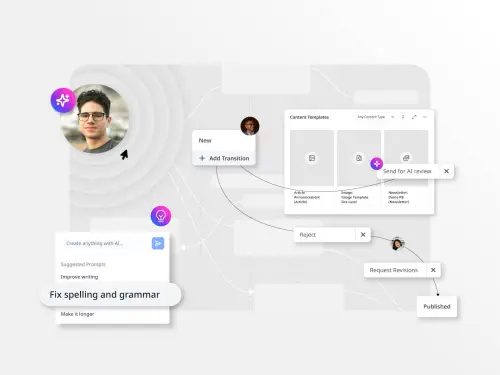
Most CMS platforms offer workflows as a configuration option. The better question is whether the workflow engine is flexible enough to match how your team actually works — or whether your team will end up adapting to the platform’s defaults.
When workflows are misaligned with publishing cadence, editors find workarounds. Content gets staged in email threads. Approvals happen in Slack instead of the CMS. Assets go live without proper sign-off because the official process is too slow to be usable. These are not discipline failures. They are signals that the platform is not serving the team.
Evaluating workflow fit means testing against your actual publishing scenarios — not a vendor demo with sample content. Bring your highest-volume content type, your most complex approval chain and your most time-sensitive publishing workflow into the sandbox. If the platform cannot handle those without friction, no interface fixes it.
Autonomy that doesn’t route through a developer queue
The most concrete measure of editor experience is the developer ticket rate. How many times per week do editors need to file a ticket to accomplish a publishing task that should, in principle, be within their remit?
This number is rarely tracked. It should be.
Every developer ticket filed for a routine editorial task represents a compounding cost: the editor’s time waiting, the developer’s context-switched attention and the publishing delay that ripples through the content calendar. At scale, this is not a minor inconvenience. It is a structural drag on editorial productivity that no interface improvement can fix.
The platforms that minimize this rate are the ones that give editors genuine autonomy over their domain: the ability to create and modify page layouts within defined parameters, manage assets inline, run localization workflows without leaving the CMS and publish to multiple channels without a developer standing between intent and execution.
This level of autonomy requires the platform to have made a deliberate architectural choice: to put the editorial team’s operational needs at the center of the permission and workflow model, not at the edges of a developer-first system.
Why most CMS vendors get these things wrong
The dominant CMS architecture paradigm of the last several years has been headless-first. Build the content repository, expose it through APIs, let developers build whatever front-end experience is needed. It is a sound approach for many use cases — particularly developer-led teams building omnichannel products.
The problem is that headless-first, applied to editorial teams, inverts the priority order. It optimizes for developer flexibility and treats editorial tools as a layer to be added on top. The visual editor, the workflow engine, the governance controls — all become secondary concerns, often addressed through third-party add-ons or custom builds.
This is the architecture that produces the pattern content directors describe: a platform that is technically impressive, developer-loved and operationally slow for the teams that publish on it every day. As explored in Brightspot’s earlier analysis of this trend, the headless-first approach frequently exposes an organizational-design problem rather than solving a publishing one. The architecture question and the editorial-operations question are the same question asked from different directions.
The platforms that serve editorial teams best at enterprise scale made a different choice. They built around the editorial team’s operational model and then layered in the API flexibility developers need. Governance, workflow and autonomy are structural — not retrofitted.
What this means for evaluation
If the evaluation framework is built around feature comparisons — visual editor quality, component library depth, API capabilities — it will not surface the operational differences that matter most for editorial teams.
A more useful evaluation framework asks three questions:
- How many developer touchpoints does a routine publishing workflow require? Map the steps from content idea to live page. Count every point where an editor must wait on or involve a developer. That number, more than any feature score, predicts editorial velocity on the platform.
- Can governance be configured to match your organization’s publishing model, or does your organization have to adapt to the platform’s defaults? Stress-test this with your most complex multisite, multilingual or multi-brand scenario.
- What does the workflow engine look like at your actual publishing cadence? Bring real content, real volumes and real approval chains into the sandbox trial. Do not let a vendor demo set the baseline.
This is where Brightspot’s architecture makes a practical difference. Multisite governance, role-based access control, configurable approval workflows and native localization support are built into the platform’s core — not assembled from add-ons. Editors get the autonomy to publish within a governed environment; IT gets the controls to maintain brand consistency and compliance at scale. Neither team has to compromise to give the other what they need.

The leaders who get this right
The content directors and digital leaders who evaluate CMS platforms well ask a different first question. Not “Which platform has the best visual editor?” but “Which platform is designed around how our editorial team actually works?”
The answer to that question points away from the demo and toward the architecture. It points toward governance design, workflow flexibility and the degree of editorial autonomy the platform’s permission model allows.
Platforms built for developers with editorial tools bolted on will always underserve content teams at volume. The ones built around editorial operations — with developer flexibility as a designed-in capability rather than the starting assumption — are the ones that scale without creating drag.
That distinction is what “best for editors” actually means at enterprise scale.
Explore how Brightspot approaches editorial autonomy and enterprise governance here, plus see how it compares to the headless-first alternatives your team may be evaluating by requesting a demo with a member of our team today!
Visual editing refers to a specific UI feature — the ability to compose and preview pages in a WYSIWYG environment. Editor experience is broader: it describes everything that determines whether an editorial team can do their job without friction, including governance design, workflow architecture, permission granularity and the degree to which editors depend on developers for routine publishing tasks.
Headless-first architecture optimizes for developer flexibility and API performance. Editorial tools — visual editors, workflow engines, governance controls — tend to be secondary concerns, added through third-party integrations or custom builds. This creates a gap between what the platform can do technically and what editorial teams can do operationally, which widens at scale.
Map the developer touchpoints in a routine publishing workflow. Count how many times an editor must involve a developer to complete a task that should be within their remit. Stress-test governance and multisite capabilities using your actual content models and publishing scenarios, not vendor-supplied sample data. Test workflow flexibility at your real publishing cadence.
Good governance is built into the platform’s architecture rather than enforced through human checkpoints. It gives editors freedom to publish within defined parameters without waiting for approvals that exist only to manage platform risk. Role-based access, template controls, configurable approval workflows and audit trails are the mechanisms — but the test is whether they create speed or drag for the editorial team.
Brightspot is designed around the editorial team’s operational model. Governance, workflow and autonomy are structural features, not add-ons. Multisite management, native localization, role-based access control and configurable approval workflows are built into the platform core, so editors can publish at volume without routing routine tasks through a developer queue.


