CMS selection guide: Compare the best CMS platforms
The right content management system (CMS) for you and your team depends on architecture, scale and team structure (and a few other factors). Here’s a quick breakdown:


A content management system is no longer solely a place to write and publish. In 2026, a CMS is the operational core of how organizations manage and deliver digital experiences across every channel, team and touchpoint.
A CMS is a technology platform that enables content teams to create, organize and publish content without requiring direct access to code, while also providing the technical infrastructure to deliver that content reliably and at scale.
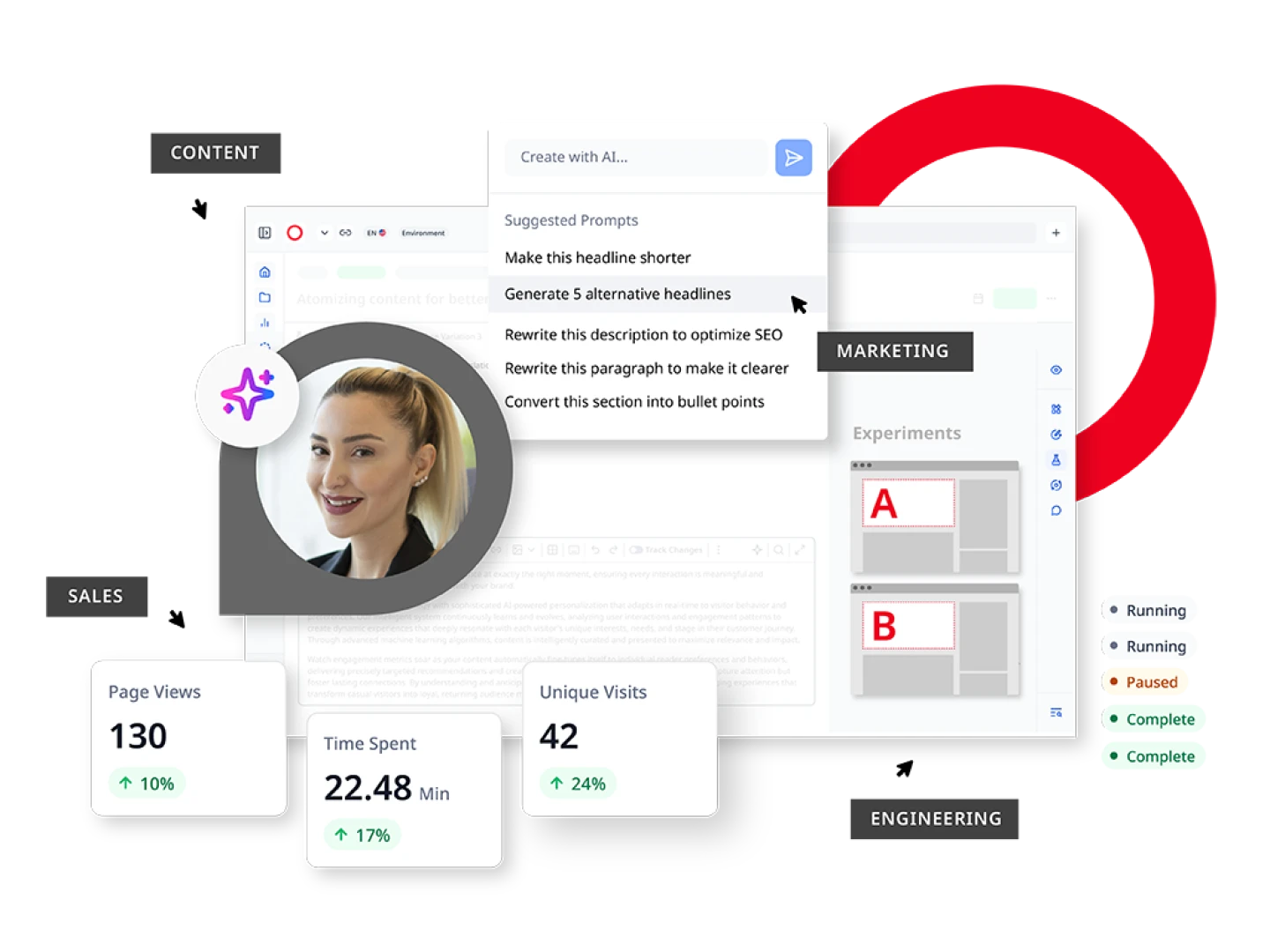
Today’s platforms are generally expected to cover four core capabilities, including:


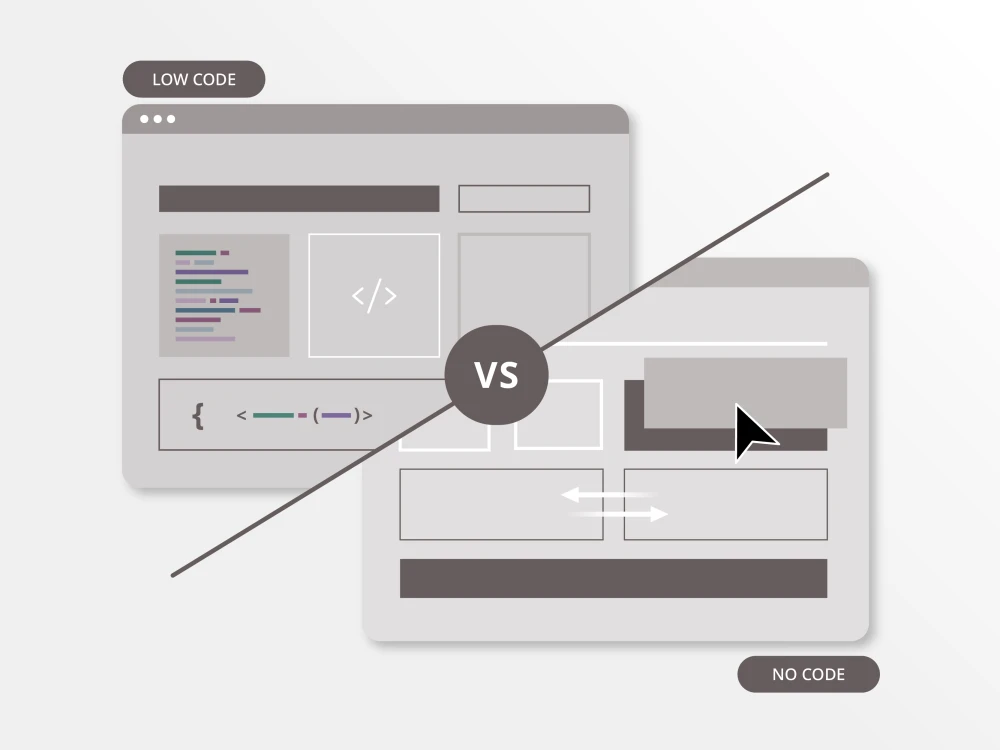
Unlike traditional CMS platforms, where content and presentation are tightly bound together, modern architectures separate or fully decompose, these layers to give teams more flexibility, speed and control. Here’s how the four main types compare:


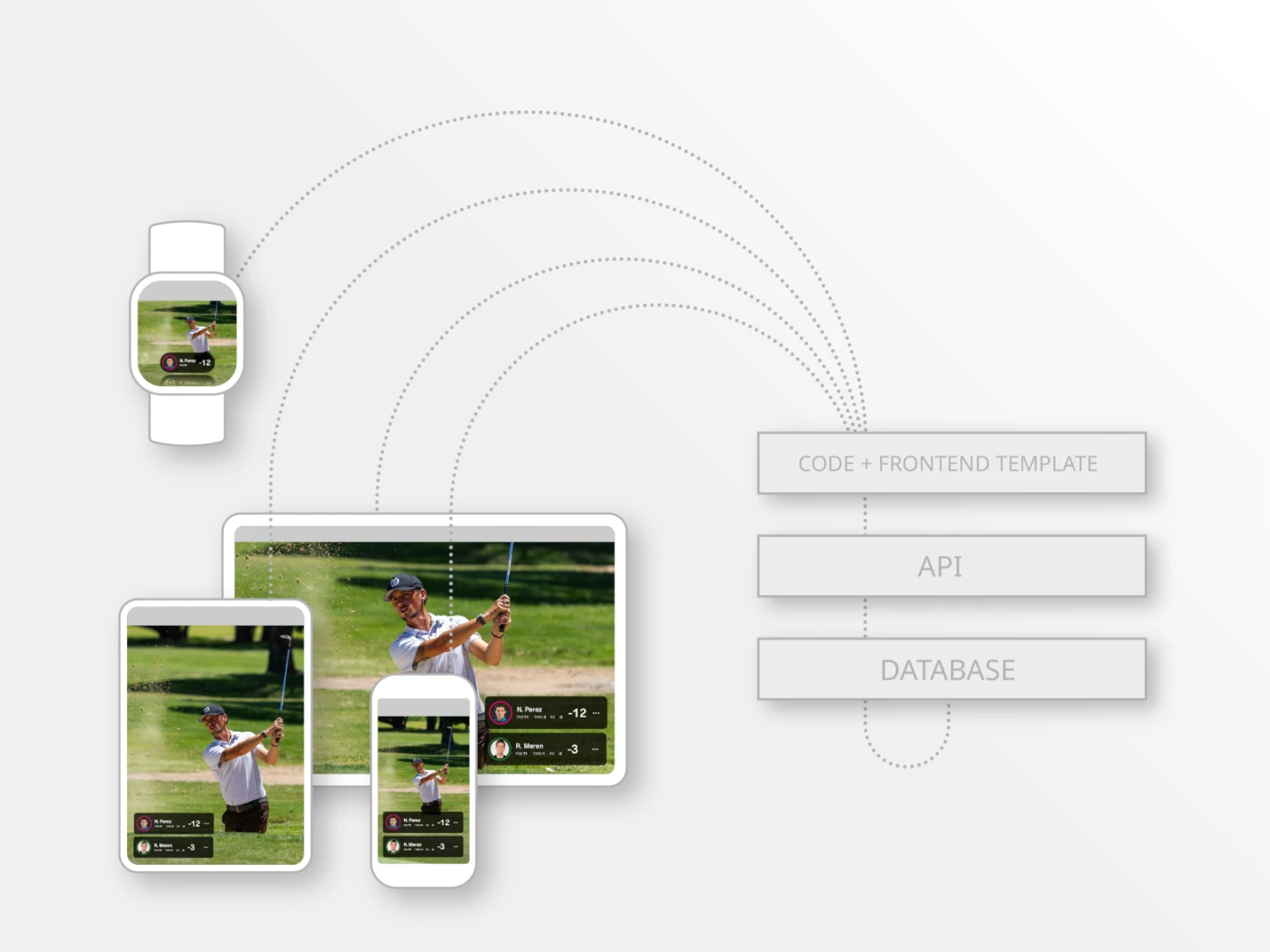


Strengths
- Low barrier to entry
- Large plug-in ecosystem
- Minimal development resources needed to launch
- Front-end tied to back-end
- Poor fit for multi-channel delivery
- Scaling often requires heavy customization

Strengths
- Full front-end freedom for developers
- Content reuse across any channel
- Clean separation of front end and back end
- Higher developer dependency
- Preview and staging can be complex

Strengths
- Editorial and developer needs both met
- Headless delivery without sacrificing UX
- Faster time-to-publish than pure headless
- More opinionated than pure headless
- Vendor selection matters more
- Requires platform with strong hybrid execution
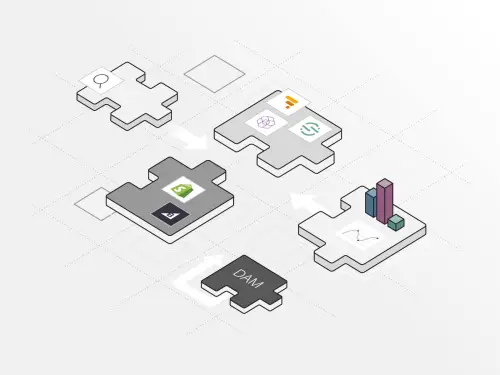
Strengths
- Maximum flexibility and best-of-breed tooling
- Swap components without rebuilding the stack
- Scales across complex enterprise needs
- Governance overhead
- Requires strong engineering org
- May require multiple vendor contracts
| CMS type | Flexibility | Developer effort | Best for |
| Traditional CMS | Low | Low | Small teams, single-site, limited dev resources |
| Headless CMS | High | High | Developer-led orgs delivering content across many channels |
| Hybrid CMS | High | Medium | Enterprise teams balancing editorial speed with technical scale |
| Composable DXP | Maximium | High | Large orgs with complex stacks, strong engineering and multi-platform needs |


How well can the platform model your content, including pages and structured types like products, authors, events and media assets? Rigid data models force workarounds that compound over time. Look for a platform that lets you define and extend content types without needing a developer for every change.
Questions to ask:
- Can non-technical users create and modify content types?
- Does the platform support relational content structures?
- How does the model translate across headless API delivery?
A CMS your engineering team resents will slow every project downstream. Evaluate the quality of APIs and SDKs, local development experience, documentation depth and how much custom scaffolding is required before a team can ship anything. Platforms with strong developer tooling reduce onboarding time and long-term maintenance overhead.
Questions to ask:
- Is the API REST, GraphQL or both, and how well-documented is it?
- What does the local dev and preview environment look like?
- How much custom code is required out of the box?
The platform your editors use every day shapes how fast and how accurately content gets published. A confusing or slow editorial interface creates bottlenecks, errors and developer dependency for tasks that should be self-serve. Evaluate the authoring interface, in-context preview, asset management and how intuitive it feels for non-technical users.
Questions to ask:
- Can editors preview content before publishing across channels?
- How does the platform handle inline editing vs. form-based authoring?
- Is there a learning curve that requires formal training?
If your content strategy extends beyond a single website to mobile apps, newsletters, digital signage, third-party syndication or voice, your CMS must support structured, API-driven delivery. This is where traditional CMS platforms fall short, and where headless and hybrid architectures create a competitive advantage.
Questions to ask:
- Does the platform support structured content delivery via API to any channel?
- How does it handle content variations for different devices or contexts?
- Can it power both the website and non-web touchpoints from a single source?
At enterprise scale, content governance is critical. Multi-team organizations need role-based permissions, approval chains, scheduled publishing, audit trails and localization controls that work without custom development. Weak workflow tooling forces teams to manage governance outside the CMS, creating risk and inconsistency.
Questions to ask:
- Can you define multi-step approval workflows without code?
- Does the platform support granular role-based access control?
- How does it handle multisite, multi-brand or multi-language governance?
Platform licensing is rarely the largest cost in a CMS deployment. For enterprise platforms, particularly Adobe AEM, Sitecore and Drupal, implementation, customization third-party integrations and ongoing maintenance often exceed the license fee. Evaluate TCO across a three-to-five-year horizon.
Account for:
- Licensing: Annual platform and seat fees
- Implementation: Setup, migration, and launch costs
- Customization: Dev effort to fit your use case
- Maintenance: Upgrades, support, and infrastructure
- Integrations: Third-party connectors and middleware
- Training: Onboarding new editors and developers
Each CMS type and platform has a different philosophy for how content should be managed and delivered. Architecture, editorial experience and total cost vary significantly across the leading options, and the right choice depends on where your organization sits on the spectrum between developer flexibility and editorial simplicity.
| Platform | Architecture | Best for | Strengths | Limitations |
| Brightspot | Hybrid/headless | Enterprise media, large orgs | Flexibility + editorial UX | Less known brand |
Contentful | Headless | Dev-first teams | API-first | Weak editorial UX |
| Adobe AEM | Traditional/hybrid | Enterprises | Interconnected ecosystem | High cost/complexity |
| Sitecore | DXP | Enterprises | Personalization | Heavy implementation |
| WordPress VIP | Traditional | Publishing | Ease of use | Scaling limits |
Arc XP | Hybrid | Media | Strong media tools | Narrow focus |

Brightspot offers comparable flexibility and a richer editorial experience at a fraction of the operational overhead, making it a practical alternative for organizations that still need enterprise capability.

Brightspot offers comparable media publishing capabilities with significantly more flexibility in content modeling, front-end architecture and integration readiness, making it a stronger fit for media organizations that need the editorial power of a newsroom-grade CMS without locking into a stack designed around one publisher’s workflows.

Brightspot’s hybrid architecture delivers the same API flexibility while preserving a full editorial interface, meaning content teams don’t become bottlenecked waiting on developers every time a page needs updating.

Brightspot’s hybrid architecture gives developer and editorial teams equal footing — full API delivery for front-end flexibility, combined with a rich authoring interface that content teams can operate without engineering support. For organizations that have outgrown pure headless or need more than a developer tool, Brightspot closes the gap Contentstack leaves open.

Brightspot delivers comparable content modeling depth and multisite governance out of the box, with a purpose-built editorial interface that doesn’t require a development team to configure or maintain. For organizations that want Drupal’s structural flexibility without the ongoing engineering dependency, Brightspot is a consistently strong alternative.

Brightspot delivers comparable omnichannel and experience management capabilities with a significantly lower barrier to deployment, and without locking organizations into a single vendor’s suite for every layer of the stack.
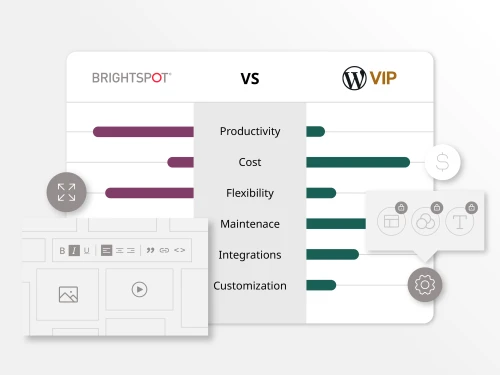
Brightspot was built from the ground up for enterprise publishing workflows, offering structured content modeling, native multisite management and editorial tooling that doesn’t require assembling a plugin stack to handle basic publishing requirements.
Contentful is a strong fit for developer-led teams building API-first experiences, but organizations that grow beyond a small engineering core often find the editorial experience too limited and the cost model too unpredictable.
The most common triggers for evaluating alternatives are editorial team friction, per-seat pricing pressure and/or absence of built-in workflow and governance tools.
Best CMS alternatives include:
- Brightspot – hybrid CMS
- Contentstack – headless CMS
Organizations that have outgrown simpler platforms often land on AEM only to discover that implementation timelines stretch to 12–18 months, developer dependency never fully goes away and total cost of ownership exceeds the original business case.
The search for AEM alternatives is almost always about reducing complexity without sacrificing enterprise capability.
Best CMS alternatives include:
- Brightspot – hybrid CMS
- Sitecore – DXP
- Drupal – open source
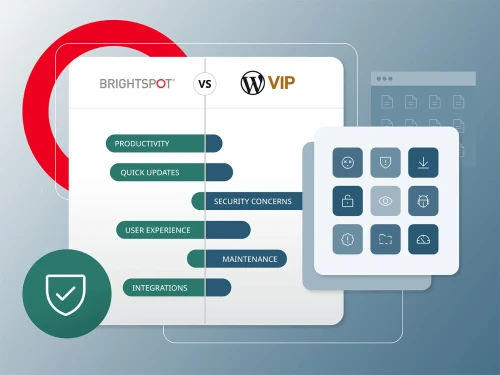
WordPress VIP gives enterprise teams a managed hosting layer on top of a familiar authoring environment, but the underlying architecture wasn’t built for the demands of modern multi-channel publishing. Plugin dependency, limited content modeling and a front-end tightly coupled to WordPress themes create friction as organizations scale — and switching costs tend to compound the longer teams stay.
The most common triggers for evaluating alternatives are performance ceilings on high-traffic properties, content modeling limitations that require heavy custom development and the cost and complexity of maintaining a plugin-dependent stack at enterprise scale.
Alternatives include:
- Brightspot – hybrid CMS
- Arc XP – publishing platform
- Contentful – headless CMS
The right platform depends on what your team needs to do with it. Here’s how to think about platform selection across three of the most common enterprise use cases.

A CMS for media needs to be fast to author, resilient under traffic spikes and flexible enough to model the full range of editorial content types.

The common failure mode is deploying separate CMS instances per site, which fragments governance, duplicates content and creates a maintenance overhead that grows with every new property added.
The common failure mode is deploying separate CMS instances per site, which fragments governance, duplicates content and creates a maintenance overhead that grows with every new property added.
Before evaluating any platform, align internally on what you really need.
- Document your current CMS pain points and where the platform is blocking your team
- Identify all stakeholder groups: editorial, marketing, development, IT and legal where relevant
- Define must-have vs. nice-to-have requirements before any vendor conversations begin
- Clarify your architecture preference: traditional, headless, hybrid or composable DXP
Understand what your new CMS needs to connect to before you shortlist platforms.
- List all tools the CMS must integrate with, including DAM, CDP, analytics, commerce, personalization
- Identify which integrations are non-negotiable and which platforms support them natively
- Assess the volume and complexity of content that will need to be migrated
Narrow down to three to five platforms based on architecture fit and use case alignment.
- Filter candidates against your must-have requirements before requesting demos
- Include at least one platform you haven’t heard of (category leaders aren’t always the best fit)
- Check analyst reports, peer review sites and customer case studies for each shortlisted platform
Run a structured evaluation and test the platform against your workflows.
- Request a scenario-based demo using your content types, not the vendor’s standard script
- Involve editors and developers in the evaluation
- Ask each vendor to walk through a content migration and integration scenario
- Score each platform against a shared rubric so evaluations can be compared objectively
Model the full cost before you commit.
- Request itemized cost breakdowns covering licensing, implementation, support and training
- Model ongoing maintenance and upgrade costs over a three-to-five-year horizon
- Factor in the internal engineering time required to implement and maintain each platform
Evaluate the vendor’s delivery capability alongside the product itself.
- Ask each vendor for a realistic implementation timeline and reference customers at a similar scale
- Clarify whether migration support is included or a separate services engagement
- Define success metrics for go-live (publishing velocity, uptime, editor adoption) before signing
A thorough evaluation takes time, but the cost of switching platforms mid-contract or rebuilding a poorly chosen implementation is far higher. Use this framework as a starting point and adapt it to your organization’s procurement process.
The right CMS platform depends on your architecture requirements, team structure, content volume and integration needs. That said, enterprise buyers typically evaluate a shortlist that includes Brightspot, Adobe AEM, Sitecore, Contentful and Contentstack, each of which targets enterprise use cases from a different angle.
For organizations that need a balance of editorial flexibility, developer freedom and manageable total cost of ownership, a hybrid CMS like Brightspot is consistently a strong fit. For organizations with large existing Adobe investments and dedicated technical teams, AEM may make sense despite its complexity. For developer-first teams, Contentful or Contentstack are worth evaluating.
Neither is “better,” as they solve different problems.
A traditional CMS couples the content repository with the front-end presentation layer, which makes it fast to launch and easy for non-technical users, but limits flexibility when you need to deliver content beyond a single website.
A headless CMS removes the front-end entirely and delivers content through APIs, giving developers complete freedom over how and where content is rendered. The trade-off is that editorial teams lose the visual authoring experience, and every front-end must be built and maintained by developers.
For most enterprise teams, a hybrid CMS is the more practical answer. It delivers API-based content distribution for developers while preserving a full editorial interface for content teams.
Large media organizations typically use enterprise-grade CMS platforms that can handle high-velocity publishing, live content and multi-channel distribution at scale.
Brightspot powers newsrooms at the Associated Press, Los Angeles Times, NBC Sports, Univision and POLITICO, among others, all of which require real-time editorial tools and structured content delivery across multiple platforms simultaneously.
Other platforms used in media include ArcXP (built by The Washington Post), WordPress VIP, and proprietary in-house systems at the largest global broadcasters.
The common thread among the best-performing media CMS deployments is a platform that was built for publishing speed and editorial scale.
For some organizations, yes. For many enterprise use cases, no.
WordPress and WordPress VIP work well for content-heavy sites with relatively straightforward publishing requirements and teams that are already familiar with the platform. Its large plugin ecosystem and low barrier to entry make it useful at a smaller scale.
Where WordPress tends to struggle in enterprise contexts: structured content modeling requires plugins and custom development that compound in complexity over time; multisite governance is difficult to manage without significant custom engineering; performance at scale requires dedicated infrastructure investment; and the plugin dependency model introduces security and compatibility risk that grows with every third-party integration added to the stack.
It depends heavily on the platform, the complexity of your content model and how much custom development is required.
The variables that most commonly extend timelines are: the volume and quality of content being migrated from the existing platform; the number of third-party integrations that need to be built or configured; the availability of internal stakeholders to sign off on content models, workflows and front-end designs; and whether the vendor provides implementation support directly or relies on a third-party partner ecosystem.
When evaluating platforms, ask vendors for reference customers at a similar scale and complexity.