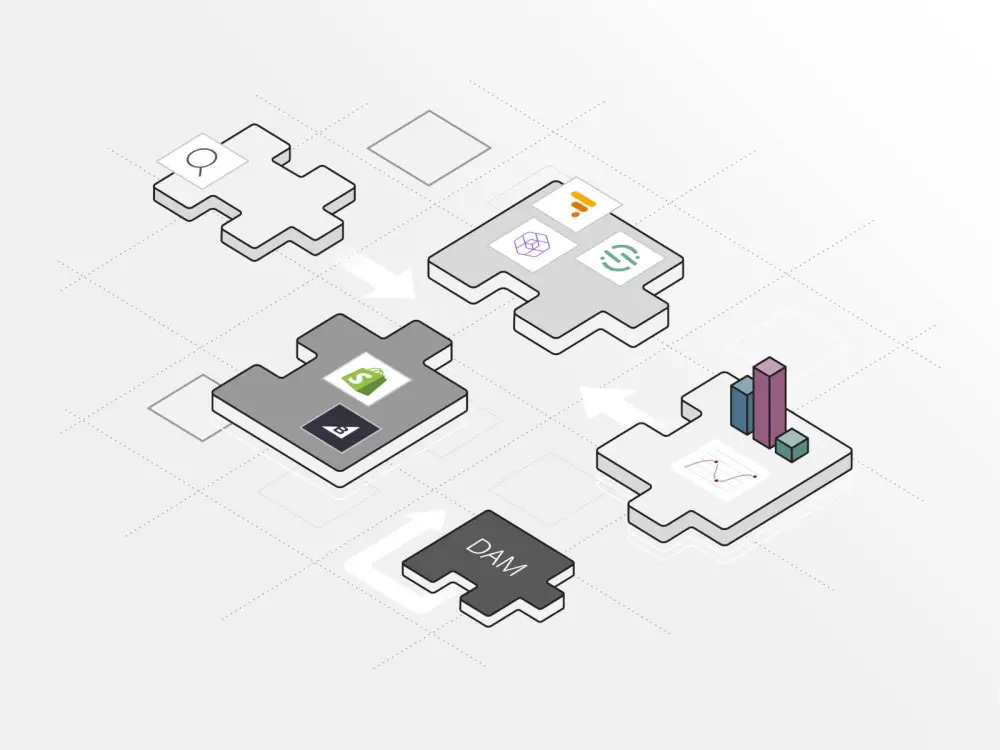
By 2026, enterprises still running monolithic content management systems face a strategic inflection point: legacy platforms built for single-channel web publishing are no longer equipped to support the complexity of modern content operations. This guide provides a comprehensive framework for evaluating and executing enterprise CMS replatforming — covering architecture selection, migration planning, integration modernization, SEO preservation and governance setup. Whether you’re a CTO, digital strategist or content operations leader, this is a practical resource for making a high-stakes platform decision with confidence.
- Legacy CMS replatforming is organizational transformation, not just a technical swap — it requires rethinking content structure, governance and delivery from the ground up.
- Organizations now engage their customers across up to 10 channels, making any single-channel legacy system a strategic liability that limits growth.
- Hybrid headless architecture offers the best of both worlds — API-first omnichannel delivery combined with visual editing tools that keep editorial teams productive without developer dependency.
- A structured evaluation framework covering content modeling, integration depth, governance, localization and vendor stability should anchor any platform comparison.
- Integration modernization is one of the most valuable opportunities in replatforming — replace fragile legacy connections with event-driven architecture and API gateways, not replicas of what you had before.
- Comprehensive 301 redirect mapping, URL preservation and parallel publishing are non-negotiable SEO safeguards that must be built into the migration plan before any phase goes live.
- Governance, including role-based permissions, approval workflows and audit trails, must be configured during implementation, not deferred to a phase two that may never arrive.
Legacy CMS replatforming is the process of migrating an organization’s digital content operations from an outdated, typically monolithic content management system to a modern, scalable platform. It encompasses content migration, integration modernization, information architecture redesign and workflow optimization.

7 key questions to ask when evaluating an enterprise content management solution
The urgency behind replatforming in 2026 comes from a shift in what enterprises need from a CMS. Legacy platforms were designed for web publishing alone, but enterprise CMS strategy has moved decisively from page management to content operations. Organizations now engage customers across up to 10 channels, which makes any single-channel legacy system a strategic liability.
Market data reinforces this trend. Cloud-based CMS solutions held over 60% of the market in 2025 and are projected to grow at a 19% CAGR through 2031. That projected growth indicates cloud-native platforms are becoming standard for competitive enterprises.
Replatforming should be treated as organizational transformation, not just a technical upgrade. It is an opportunity to rethink how content is structured, governed and delivered, and to build a foundation that supports digital strategy for years.
Defining what “best” means for enterprise CMS replatforming requires a structured evaluation framework. The following criteria should anchor any platform comparison:
| Criterion | What to look for | Why it matters for replatforming |
| Structured, reusable content models | Modular content types with discrete fields and metadata | Enables personalization, automation and AI-driven optimization across channels |
| Integration depth | Native connectors and open APIs for CRM, DAM, commerce and analytics | Helps eliminate content silos carried over from legacy systems |
| Governance and compliance | Granular permissions, approval chains and audit-ready workflows | Ensures regulatory compliance and operational accountability from day one |
| Localization and scalability | Multisite, multi-language support with governed collaboration | Allows global teams to operate quickly without sacrificing consistency |
| Team skill fit | Balance of low-code editorial tools and developer extensibility | Prevents excessive developer dependency that slows everyday publishing |
| Vendor stability and roadmap | Proven enterprise track record, transparent product direction | Reduces the risk of another forced migration within 3–5 years |
Structured content means organizing content into discrete, labeled fields and metadata rather than embedding content in page layouts. This modular approach enables reuse across channels, automated personalization and AI-driven optimization, making it essential for omnichannel enterprise publishing.
When evaluating platforms, weight these criteria against your organization’s specific pain points. A media company with heavy editorial workflows will prioritize differently than a financial services firm focused on compliance, but every enterprise replatforming project benefits from a rigorous, criteria-driven evaluation.
A hybrid headless CMS combines API-first, channel-agnostic content delivery with built-in visual editing and page management tools. This architecture gives developers the flexibility of headless content APIs while preserving the authoring experience marketers need.
Pure headless platforms like Contentful offer developer-led flexibility and API-first delivery, but they often require significant front-end investment and can create editorial bottlenecks when content teams lack direct visual control over publishing. Monolithic DXP platforms provide rich editorial tools but come with longer implementation timelines and higher operational overhead.
Hybrid headless architecture addresses this trade-off. With organizations publishing across multiple channels, API-first delivery is essential, but editorial teams still need visual, in-context editing to maintain speed and quality. A hybrid approach keeps both sides of the organization productive.
The performance advantages are measurable. Cloud-native deployments can shorten campaign launch cycles by 50%, according to industry research. For enterprises replatforming from legacy systems, this means the new platform can begin showing ROI quickly, even during phased migration.
Brightspot’s hybrid headless architecture addresses the trade-offs above. It is built for enterprises that need omnichannel delivery without sacrificing the editorial experience, which makes it well suited for legacy replatforming scenarios.
Its combination of API-first delivery and in-context editing accelerates editorial adoption while keeping developer flexibility intact.
How Brightspot’s capabilities map to common legacy CMS pain points:
| Legacy CMS pain point | Brightspot capability |
| Rigid, page-based content locked in silos | Structured, reusable content models that support personalization and AI-driven optimization |
| Fragmented or brittle integrations | Deep, native integrations with CRM, DAM, commerce and analytics platforms |
| Weak access controls and compliance gaps | Granular permissions and audit-ready workflows for enterprise governance |
| Inability to publish beyond the website | API-first delivery combined with visual editing for omnichannel publishing |
| Excessive developer dependency for routine tasks | Authoring tools that reduce bottlenecks without limiting developer extensibility |
| Performance and reliability concerns at scale | Enterprise-grade scalability and security designed for global organizations |
These are practical differentiators. Organizations like Banner Solutions have migrated from legacy platforms to Brightspot and reported improvements in content velocity and operational efficiency.

Legacy replatforming success stories: Banner Solutions
Brightspot’s architecture means enterprises can replatform with confidence that the system will grow with them, supporting new channels, AI-powered workflows and changing governance requirements without requiring another migration.
Choosing the right CMS architecture is one of the most important decisions in any replatforming project. The three primary options — hybrid headless, pure headless and traditional/monolithic — each have distinct trade-offs.
| Dimension | Traditional / monolithic DXP | Pure headless | Hybrid headless |
| Editorial experience | Rich visual editing, tightly coupled to templates | Minimal; content teams work in forms without visual preview | Visual editing plus form-based authoring, with in-context preview |
| Developer flexibility | Constrained by platform conventions | Maximum flexibility, front-end agnostic | High flexibility with API-first delivery and an extensible back end |
| Integration model | Proprietary connectors, often complex configuration | API-native, strong for modern stacks | API-first with pre-built enterprise connectors |
| Implementation timeline | 6–12+ months (AEM implementations often take this long) | Moderate, but front-end build adds time | Moderate, visual tools reduce front-end overhead |
| Total cost of ownership | High license, infrastructure and maintenance costs | Lower platform cost, higher front-end development cost | Balanced, reduces both editorial and development overhead |
| Omnichannel readiness | Limited; real-time multi-channel delivery often needs extra engineering | Excellent; API-first by design | Excellent; API-first with editorial tools for each channel |
A few platform-specific observations:
- Brightspot offers a hybrid headless platform that combines API-first delivery with built-in visual editing and enterprise integrations, making it a practical choice for legacy replatforming.
- Adobe Experience Manager is strong for teams standardized on Adobe’s creative suite, but implementations carry significant license and infrastructure costs, and multi-channel collaboration often requires additional engineering.
- Drupal is an open-source enterprise CMS with deep flexibility and a good fit for multilingual publishing and regulatory compliance, but it requires substantial technical expertise and presents a steep learning curve for non-technical users.
- Contentful excels as a pure headless CMS for developer-led teams and multi-product ecosystems, but editorial teams may find the authoring experience limiting.
- OpenText is a legacy leader in enterprise content management for document management and compliance, but its lack of cloud-native architecture can lengthen implementation and integrations often require substantial configuration.
The right architecture depends on your team’s composition, technical maturity and content delivery requirements. For most enterprises balancing editorial and developer needs, hybrid headless offers a practical path forward.

Beyond architecture, specific features determine whether a CMS can support a legacy migration. Use the following as a requirements checklist:
- Structured content modeling: The new platform should support modular, reusable content types. Avoid copying legacy content structures, and redesign taxonomy, metadata and content organization for the new platform.
- API-first content delivery: Enables omnichannel distribution and supports incremental migration by allowing content to be served from both old and new systems during transition.
- Visual editing and marketer tools: Reduce developer dependency and accelerate time to publish, which is essential for maintaining content output during migration.
- Granular permissions and audit-ready workflows: Enterprise governance must be a core platform capability, not an afterthought.
- Redirect management: For legacy migrations, strong redirect management is critical to preserving SEO equity. The CMS should support bulk redirect creation and monitoring.
- Localization and multisite support: Global enterprises need governed collaboration across languages, regions and brands.
- AI-powered content operations: Automated tagging, content recommendations, SEO optimization suggestions and intelligent workflow routing accelerate operations on the new platform.
- Deep integrations with CRM, DAM, commerce and analytics: These connections are the circulatory system of modern content operations. Without them, the new CMS becomes another silo.
Evaluate each candidate platform against this checklist, weighting features based on your organization’s migration complexity and operational priorities.
Migration should be treated as organizational transformation, and the following step-by-step framework reflects that approach:
In the best of circumstances, migrating content publishing and launching a new system is a challenge, yet working with the Brightspot team across time zones and multiple geographies felt like a team effort with all of us working with one mind and one goal.
- Inventory and prioritize. Map every content type, integration and high-risk page in the current system. Define success metrics up front, including traffic retention targets, SEO preservation benchmarks and time-to-market improvements you expect from the new platform.
- Redesign information architecture. One common migration mistake is replicating the old information structure unchanged. Model structured content, metadata and reuse patterns specifically for omnichannel distribution on the new platform.
- Choose architecture. Evaluate hybrid headless, pure headless and coupled DXP options against your team’s skills, integration needs and editorial requirements. Use the criteria and comparison framework from earlier sections.
- Build the migration roadmap. Plan phased cutovers with parallel publishing windows to avoid downtime. Identify which content sections, regions or product lines will migrate first based on business impact and complexity.
- Assemble the team and partners. Budget for implementation partners for complex integrations. Consider specialized migration vendors if internal capacity is limited, as many enterprise replatforming projects exceed what internal teams can handle alone.
- Define governance and training. Implement roles, workflows and audit logs from day one. Do not defer governance configuration to a “phase two” that never arrives. Train editorial and operational teams on the new platform before each phase goes live.
Adapt this planning framework to your organization’s scale and complexity, but the sequence — inventory, redesign, choose, roadmap, staff and govern — is consistent across successful enterprise migrations.

CMS migration checklist: 21 key questions to consider
CMS migration usually means rebuilding marketing, CRM, analytics and other integrations. Integration work is one of the most valuable opportunities in any migration. Modern replatforming should improve integration architecture — the chance to replace fragile legacy connections with event-driven, API-first patterns rather than replicating old ones on new infrastructure.
Legacy systems typically rely on batch file transfers, point-to-point connections and FTP-based data exchange. These patterns are fragile, difficult to monitor and poorly suited to real-time content operations.
| Legacy pattern | Modern alternative | Benefit |
| Batch file transfers | Event-driven architecture | Real-time data flow, reduced latency |
| Point-to-point connections | API gateway | Centralized management, security and routing |
| FTP-based exchange | Webhook-based integrations | Automated triggers, easier monitoring |
| Custom middleware | Pre-built CMS connectors | Faster implementation, lower maintenance |
An API gateway is a centralized entry point that manages, routes and secures API calls between a CMS and external systems like CRM, DAM and analytics platforms. It simplifies integration management, enforces security policies and enables real-time data exchange across the content ecosystem.
Before migration, map every existing integration and classify each by criticality and complexity. For each, determine whether to replicate, modernize or retire it. Deep integrations with CRM, DAM, commerce and analytics are essential for avoiding the content silos that plagued the legacy system, but the connections themselves should be rebuilt using modern patterns.

Incremental migration is the preferred approach for large enterprise sites because it reduces risk. API-based content access allows teams to move content in phases — by region, product line or content type — rather than executing a high-stakes big-bang cutover.
I’ve done site migrations several times over the years, and the thing that you always worry about — whether you’re a large enterprise or a small publisher — is that you’ve put in a lot of previous work to create an SEO footprint. I didn’t want to mess anything up on the SEO footprint side, and with the Brightspot replatforming what we saw was not only no loss, but a very welcome 40% improvement.
Essential best practices for protecting organic search traffic during migration:
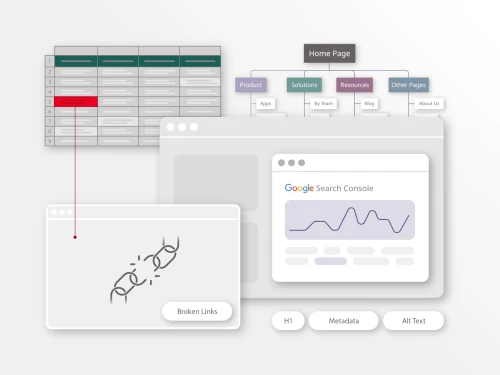
- Build comprehensive 301 redirect maps before cutover. Strong redirect management is the single most important SEO safeguard during any legacy migration. Map every high-value URL to its new destination before any phase goes live.
- Preserve high-value URLs wherever possible. If the new platform can maintain existing URL structures for top-performing pages, do so. Audit and consolidate thin or duplicate content rather than migrating it.
- Validate technical SEO on the new platform. Before each phase launches, confirm page speed, structured data markup, metadata, canonical tags and internal linking on the new system.
- Use parallel publishing during transition periods. Running both systems simultaneously for a defined window ensures continuity and provides a fallback if issues arise.
- Monitor traffic and rankings after each phase. Set up dashboards to track organic performance by migrated section. Address ranking drops immediately with redirect corrections or content adjustments.
- Treat migration as a full SEO project. Assign dedicated SEO resources to the migration team, not just development and content resources.

CMS migration demystified: Strategies for a successful transition
Cloud-native deployments can shorten campaign launch cycles by 50%, so the new platform should show performance improvements quickly enough to offset migration costs and validate the investment.
Enterprise CMS migrations involve complex integrations, content modeling, governance setup and multi-phase cutovers that frequently exceed internal team capacity. Engaging the right implementation partner can be the difference between a smooth migration and a prolonged, over-budget project.
When evaluating a migration partner, prioritize:
- Deep experience with the target CMS platform. Generic web development agencies may lack the platform-specific expertise needed for efficient implementation.
- Proven track record with enterprise-scale migrations. Ask for references involving comparable content volume, multisite deployments and multi-language requirements.
- Ability to modernize integration architecture. The partner should advocate for improving integrations, not just replicating legacy connections.
- Knowledge of SEO preservation and redirect management. Migration partners should understand the SEO implications of every technical decision.

Brightspot’s migration services
Define clear ownership boundaries between internal teams and the partner from the outset. Establish success metrics before work begins and plan for knowledge transfer so the internal team can operate the platform independently post-launch. The goal is to build internal capability, not long-term dependency on external consultants.
Governance is not a post-launch concern; it should be configured during implementation. Enterprise CMS platforms need granular permissions and audit-ready workflows, and the replatforming process is the ideal moment to establish them.
Key governance components to implement from day one:
- Role-based access controls and approval workflows. Define who can create, edit, review, approve and publish content for each content type and section.
- Audit trails. Every action in the CMS should be logged for compliance and accountability.
- Content lifecycle management. Establish clear processes for creation, review, publication and archival, including automated expiration for time-sensitive content.
- Brand and editorial standards enforcement. Use platform tools to embed style guides, naming conventions and quality checks into the authoring workflow.
AI features increase the value of well-governed content operations. Structured content can power AI-driven personalization, automated metadata tagging, content performance recommendations and intelligent workflow routing. These capabilities are quickly moving from experimental to operational, and platforms that support them natively will provide increasing benefits as AI matures.
The combination of strong governance and AI-powered automation ensures the new CMS provides long-term operational value, not just a better publishing interface.

The role of AI in content governance
Even well-planned migrations can be derailed by predictable mistakes. Watch for these common pitfalls:
- Replicating legacy information architecture. Copying the old structure unchanged is a frequent migration mistake. Redesign taxonomy, metadata and content models for the new platform’s capabilities.
- Copying legacy integrations instead of modernizing them. Rebuilding the same fragile, point-to-point connections on new infrastructure wastes the opportunity.
- Neglecting SEO and redirect planning. Failing to build redirect maps and preserve URL equity before cutover can cause significant, sometimes permanent, organic traffic loss.
- Underestimating scope and timeline. Complex enterprise migrations with heavy integrations routinely take 6 to 18 months. Plan accordingly and build buffer into the schedule.
- Ignoring editorial team needs. Choosing a platform that requires excessive developer involvement for everyday publishing creates the same bottlenecks the migration was supposed to eliminate.
- Skipping content audit. Moving messy, outdated or duplicate content to a new system perpetuates existing problems on more expensive infrastructure.
- Treating migration as purely technical. Replatforming is organizational transformation. Without executive sponsorship, cross-functional alignment and change management, even the best technology will underperform.
The role of SEO in a website redesign: How to avoid a traffic disaster
The CMS you choose in 2026 needs to remain viable beyond that year. Several trends should inform your platform decision today:
- Composable and cloud-native architectures will continue to dominate. With cloud-based CMS projected to grow at 19% CAGR through 2031, monolithic on-premises deployments are increasingly untenable for competitive enterprises.
- AI-native content operations are moving from experimental to essential. Expect AI-driven content creation assistance, automated metadata enrichment, personalization engines and performance optimization to become common within the next two to three years.
- Omnichannel expansion will accelerate. Organizations already publish across an average of 10 channels, and that number will grow as new digital touchpoints — conversational interfaces, spatial computing and connected devices — emerge.
- Content operations as a discipline will mature. The shift from page management to content operations requires platforms that support the full content lifecycle, not just publishing.
- Regulatory and compliance demands will intensify. Governance, audit trails and data sovereignty requirements are tightening globally, making audit-ready workflows non-negotiable for enterprise CMS platforms.

2026 content trends: From acceleration to orchestration
Choosing a platform with a hybrid, API-first architecture and strong governance capabilities positions your organization to adapt to these trends without enduring another costly replatforming cycle. The best enterprise CMS for 2026 should also meet your needs in 2030.
Legacy CMS replatforming: FAQs
Most enterprise CMS migrations take between 6 and 18 months, depending on content volume, integration complexity and governance requirements. Phased, incremental approaches can reduce risk and allow teams to validate the new platform before full cutover. Organizations with simpler content models and fewer integrations may complete migration faster, while global multi-site deployments typically trend toward the longer end of that range.
With proper planning — comprehensive 301 redirect maps, URL preservation and page speed validation — you should not lose traffic. Treat the migration as a full SEO project to maintain organic search equity. Assign dedicated SEO resources to the migration team, monitor rankings after each phase and address any drops immediately.
The biggest risk is migrating accumulated technical debt and fragmented data without cleaning them up first. If legacy workarounds and messy content models move to the new platform unchanged, the same bottlenecks persist on newer, more expensive infrastructure. A thorough content audit and information architecture redesign before migration are the best safeguards.
It depends on your team’s technical resources and editorial needs. A hybrid headless CMS — including Brightspot’s approach — offers API-first delivery for omnichannel flexibility combined with visual editing tools that reduce developer dependency for everyday publishing. Pure headless is ideal for developer-led teams with strong front-end capabilities, while traditional DXPs suit organizations deeply invested in a single vendor ecosystem.
Yes. Incremental migration is often recommended for large enterprise sites. API-based content access allows you to move content in phases — by region, product line or content type — while managing redirects carefully to avoid traffic loss during each transition. This approach also lets teams learn and adjust their migration process as they go, improving efficiency with each subsequent phase.
What features should be non-negotiable in an enterprise CMS evaluation? Structured content modeling, API-first delivery, granular permissions and audit-ready workflows, strong redirect management, localization and multi-site support, and deep integrations with CRM, DAM, commerce and analytics platforms should all be treated as baseline requirements, not differentiators.
Click for our comprehensive CMS evaluation and selection checklist.
AI features — including automated metadata tagging, content performance recommendations, personalization and intelligent workflow routing — are moving from experimental to operational. Platforms with structured content models and native AI support will deliver increasing value as these capabilities mature, making AI readiness a forward-looking criterion in any 2026 platform evaluation.